
Kwop › About
About Kwop
Kwop is the session replay tool at kwop.io that ties every visit to the money it made. Here is what it does, why it exists, what it connects to, what it costs and how to reach us.
What Kwop is
Kwop is a session replay and revenue tool for websites that sell online. It records every visit to your site like a video, ties each visit to the payment it brought in from Stripe, Whop or Shopify, and uses AI to tell you who to follow up and write the email for you.
Kwop lives at kwop.io. Inside the product and in our videos you will also see it called simply Kwop. In practice, it gives you:
- Session replay: the moving mouse, the clicks, the scroll and the hesitation of each visit. Kwop records the page and its changes instead of pixels, so replays stay sharp at any zoom and don't slow your site down.
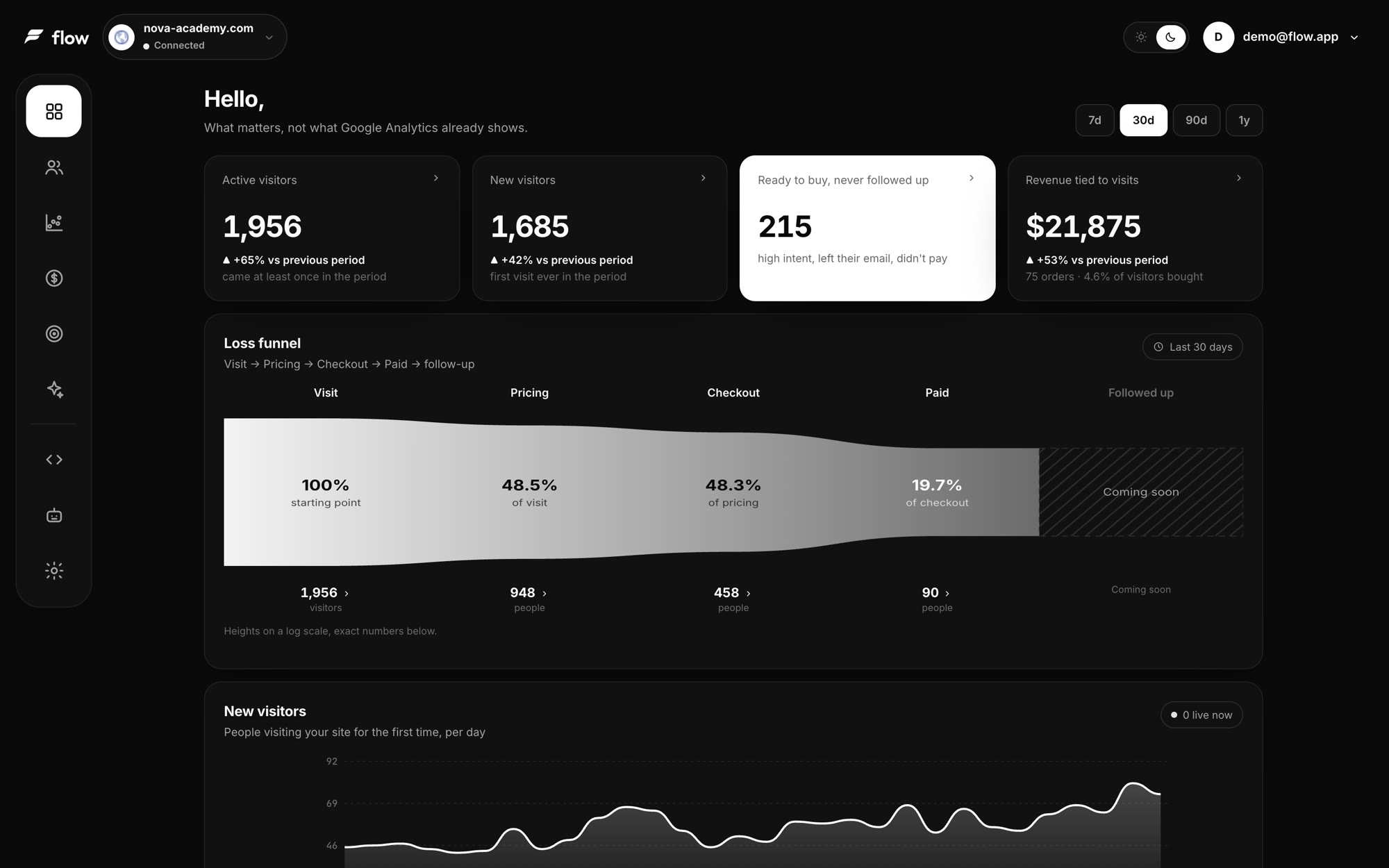
- Journeys and funnels: every visit page by page, funnels with the drop-off at each step, and the rage clicks and dead clicks that point to a broken button.
- Anonymous to customer: when a visitor types their email into your own sign-up or checkout form, their past visits are tied to them.
- Revenue: who paid, how much, from which visit, and what was left at checkout.
- Kwop, the assistant: ask a question about your visitors in plain English or French, like "where am I losing buyers?"
- Follow-ups: the people who were ready to buy, left their email and didn't pay, each with a reason and a next step.
Why we built Kwop
Most sites lose buyers they never see. Analytics show thousands of visits and a bounce rate, but not one name, not the moment someone gave up, and not the payment that did or didn't follow. Stripe sits on one side, the visits on the other, and nobody connects the two.
Kwop was built to close that gap by putting three things in one place:
- Replays, so you see what a visitor actually did instead of guessing from a percentage.
- Revenue, so every payment sits next to the visit behind it, and you know which plan each visitor was about to buy.
- Who to follow up, so the people who almost paid don't just disappear. On Pro, Kwop writes each follow-up from the person's own visit: the plan they picked, where they stopped, and only offers that are real, like an active promo code.
Privacy is part of the design. Every input field is masked inside the visitor's browser, so passwords and card numbers never leave the page. Emails typed into your own forms are only used to identify the visitor and tie them to their payment, and you can turn that off. Read more in our privacy policy.
What Kwop connects to
Kwop runs on any website: Webflow, Framer, Shopify, WordPress or custom code. Revenue comes from the payment tool you already use, through a read-only connection you create in a few minutes. Connectors and MCP are part of the Pro plan.
| Connection | What Kwop reads | How you connect it |
|---|---|---|
| Stripe | Charges, customers, products, prices, payment links, promotion codes and coupons | A restricted key set to Read only |
| Whop | Payments, members and their emails, plans and promo codes | A Whop API key with read scopes, plus your company ID |
| Shopify | Orders, products and price rules | The Admin API access token of a small custom app |
| MCP | The other way around: your AI (Claude, ChatGPT, Gemini, Cursor or Claude Code) reads your visits, funnels and payments from Kwop | Your personal MCP link from the dashboard's MCP page (Pro) |
Through MCP, your own AI assistant gets 9 tools: list your sites, get an overview, rank visitors by buying intent, open one visitor, list who to follow up, get revenue, read your products and prices, write a follow-up, and ask Kwop a question.
Pricing in short
- Free test: paste your link and Kwop sends 3 test visits through your site. You watch each one as a video in about a minute. No card.
- Starter: 1 site, 5,000 sessions a month, sampled sessions (about 90% accuracy), replays, journeys, funnels, rage clicks, and follow-ups for your hottest 30% of leads. No connectors, revenue tracking, Kwop assistant or MCP.
- Pro: unlimited sites and sessions, every session recorded, 1-year retention, Stripe, Whop and Shopify connectors, revenue tracking, the Kwop assistant, MCP, real-time alerts for hot leads, priority support, and a written email for every hot lead.
Launch-week prices are half the regular price: Starter is $47/month instead of $94, and Pro is $119/month instead of $238. Yearly billing saves 20%, and you can cancel anytime in one click from your account. Current prices are always on the pricing page.
Official profiles
These are the official Kwop accounts:
- TikTok: @flowaiapp.io
- Instagram: @flowaiapp.io
- X: @flowaiappp (with three p's)
Not to be confused with
"Kwop" is a common name. Kwop at kwop.io is not affiliated with:
- Google Kwop, Google's AI video-generation tool. The "video" in Kwop is a replay of a real visit to your website, not a generated clip.
- Flow.ai, a company that builds chatbots. Kwop is not a chatbot builder.
- The Kwop blockchain. Kwop has nothing to do with crypto or blockchains.
Contact
For questions about the product, your account, partnerships or press, email [email protected].
FAQ
Is Kwop the same as kwop?
Yes. Kwop is the product at kwop.io, and kwop is the name of its website and social accounts. Inside the dashboard it is often just called Kwop.
Is Kwop related to Google Flow or Flow.ai?
No. Google Flow makes AI-generated videos and Flow.ai makes chatbots. Kwop records real visits to your website and ties them to your revenue.
Who is Kwop for?
Sites that sell online and want to know who buys and who leaves: stores on Shopify, products and memberships sold through Whop, and any site with a Stripe checkout.
Can I try Kwop for free?
Yes. Paste your link and a real browser visits your site like a person: it reads, scrolls, looks for your prices and clicks your main button, on desktop and on a phone. You get 3 test visits as videos, with what got in the way. No card.
Does Kwop record what visitors type?
Not in the replays. Every input is masked in the visitor's browser, so passwords and card numbers never leave the page. The one exception is an email typed into your own forms: it is used to identify the visitor and tie them to their payment, and you can switch that off.
See who pays on your site
Paste your link: Kwop shows 3 test visits of your site in about a minute. No card.